
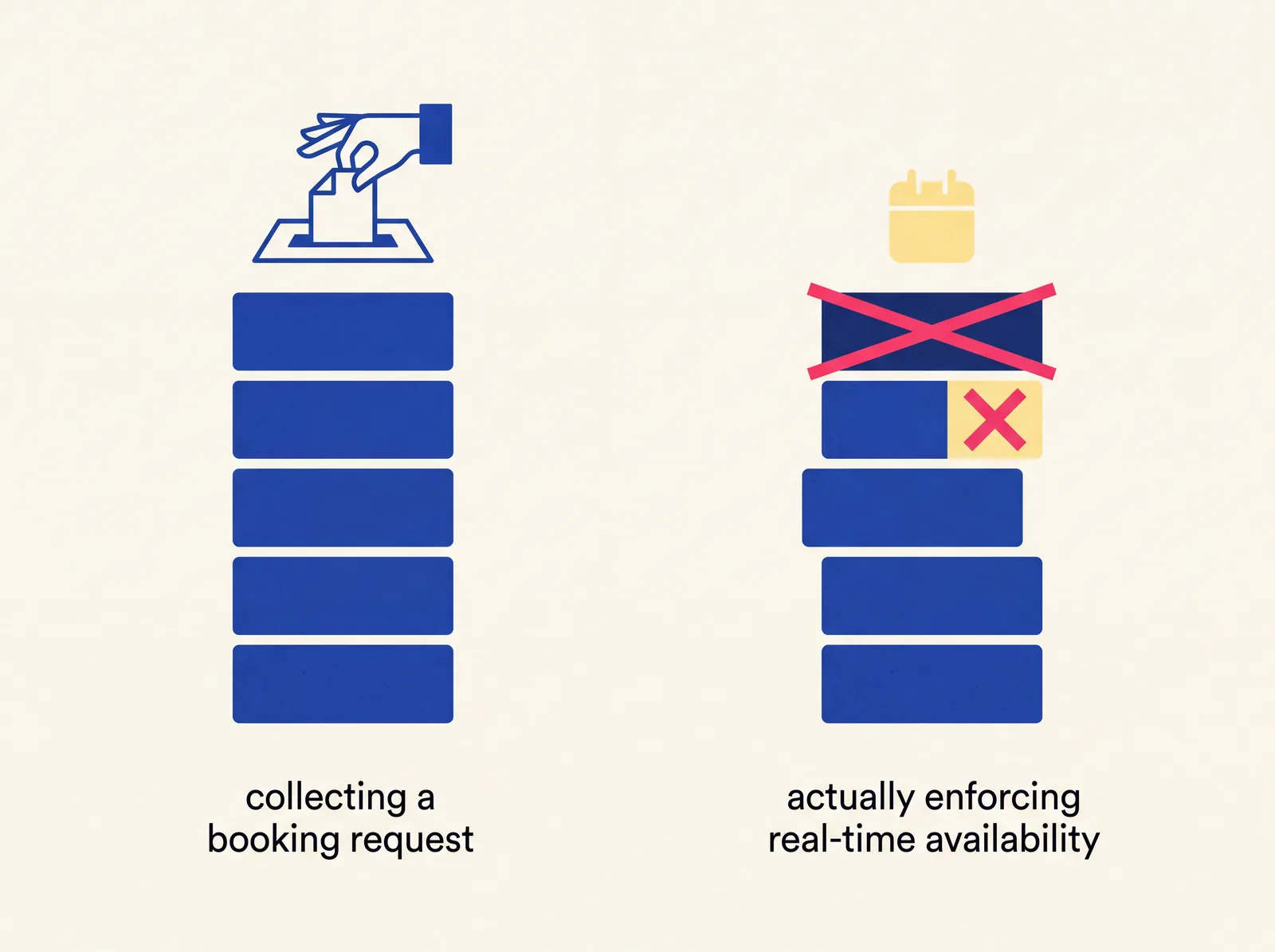
A booking widget is usually a simple form embedded on your site that collects a requested time and sends it to you — it doesn't actually know your real availability. A booking system checks your real schedule and enforces it: once a slot is taken, it becomes genuinely unselectable for the next person, not just visually marked as busy while still technically bookable. The difference sounds small until the first time two customers show up for the same slot, at which point it stops being a technicality and becomes a real problem.
What a booking widget actually does
Most "booking" embeds you can drop into a website in five minutes work the same basic way: they show a calendar or a form, the customer picks a date and time they'd like, and that request gets sent to you — usually by email — for you to confirm or reject manually. The widget itself has no idea what your actual schedule looks like. It's a structured request form wearing a calendar's clothing.
This is fine for low-volume situations where you're comfortable manually confirming every booking and the odds of two people requesting the same slot are low. It becomes a liability the moment volume increases, or the moment you'd rather not manually respond to every single request.
What a booking system actually does differently
A real booking system is connected to an actual source of truth for your availability — which slots exist, which are already taken, and which staff member or resource each one belongs to. When a customer views the calendar, they're seeing your real, current availability, not a generic calendar you'll reconcile with reality later.
The critical piece is what happens when a slot gets taken: it becomes genuinely unselectable for the next visitor, immediately, not just greyed out while a determined customer could still technically click through and submit a request for the same time. This is the specific design decision that prevents double-booking, and it's the difference that actually matters in practice — not the visual polish of the calendar, but whether the system enforces the rule or just displays it.
Why this distinction gets glossed over
Marketing pages for booking tools use "system" and "widget" almost interchangeably, so the label alone doesn't tell you which one you're actually getting. The way to check is functional, not verbal: try to book the same slot twice, from two different browsers or devices, and see what happens. If both bookings go through, or if the second one only gets caught later when you happen to notice the conflict, you have a widget wearing a system's name.
When a widget is genuinely enough
If your booking volume is low, if you're comfortable manually confirming or rejecting requests, or if double-booking would be a minor inconvenience rather than a real problem — say, a general inquiry form rather than a fixed appointment slot — a simple widget is a reasonable, cheaper choice. Not every business needs a fully enforced system on day one.
When you actually need a real system
Once you're taking enough bookings that manual confirmation eats real time, once a double-booking would cost you a customer or create an awkward in-person conflict, or once you're managing multiple staff or resources with independent schedules, a widget's lack of real enforcement stops being a minor gap and starts being a recurring problem that costs you time and occasionally a customer relationship.
What we built, and why it works this way
BuildYume's own booking system was built around exactly this principle: an already-booked slot is genuinely unselectable, not just visually marked, because that's the one piece of behavior that actually prevents the problem a booking tool exists to solve. It's a real, working example, not a hypothetical — you can see it in the portfolio.
How to check what you currently have
If you already have a booking tool on your site, run the same double-booking test described above before assuming it's working correctly. If it fails, that's worth fixing before it costs you an actual customer, not after. If you're building one from scratch and want it to hold up under real use, get in touch and we'll walk through what your specific booking flow needs to enforce.
FAQ
- How do I test whether my current booking tool is a widget or a real system?
- Try booking the exact same slot twice from two different devices or browsers. If both go through, it's not enforcing availability — it's just collecting requests.
- Does a real booking system cost significantly more than a widget?
- Usually more, since it involves actual logic rather than a form, but the gap is often smaller than expected for a well-scoped single-resource booking flow — it grows with complexity like multiple staff, resources, or locations.
- Can I upgrade a widget to a real system later without starting over?
- Sometimes, depending on how the widget was built and whether it can be connected to a real availability source — but this is worth checking case by case rather than assuming either way.
- Do I need a booking system if I only take a handful of appointments a week?
- Not necessarily — at low volume, a widget with manual confirmation is a reasonable choice, and a full system is a decision that makes more sense once volume or the cost of a conflict grows.